
12 September 2026 · 5 min read
30 Day Try On Email Campaign Pilot for Shopify Fashion Brands
Run a 30 day try on email pilot on Shopify with a Klaviyo-ready checklist. Segmentation, creative rules, measurement tips, and a GarmCheck route to go...
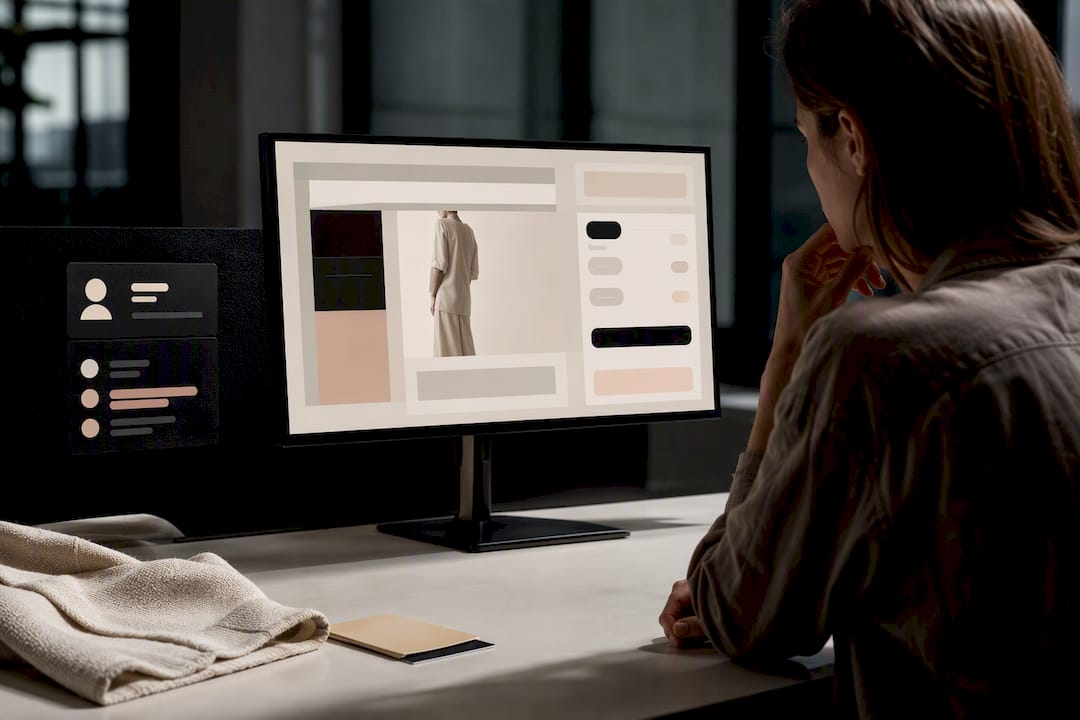
30 Day Try On Email Campaign Pilot for Shopify Fashion Brands
Try-on email campaigns, sending personalised virtual fitting images and size recommendations by email, work for fit-sensitive apparel and should be part of your lifecycle programme. Retailers running virtual try-on have reported return reductions between 5 and 40 percentage points , and some virtual try-on tools generate photorealistic images rapidly, making the technical barrier smaller than most email teams assume.
TL;DR:
- Campaigns targeting shoppers who viewed a try-on but did not purchase can deliver the highest immediate lift, with proven results of reducing returns by up to 40 percent.
- Data for personalized emails must include session ID, shopper ID, product SKU, image URL, size recommendation, and timestamp, and must transfer correctly into the email platform with case-sensitive variable names.
- Using compressed images under 200KB in JPEG or WebP format with clear alt text improves mobile loading, while linking to full images offers a balance of speed and visual detail.
- A 30-day pilot focusing on high-fit-risk categories helps identify technical issues and shows early return and conversion improvements before scaling.
- Ready-made Shopify apps like GarmCheck enable virtual try-on solutions with minimal engineering, simplifying integration of real-time images and size data into marketing flows.
div style="border-radius:26px;padding:min(22px,3.2vw);background:radial-gradient(circle at 100% 0%,#f5f3ee 0 150px,rgba(255,255,255,0) 151px),radial-gradient(circle at 0% 100%,#f5f3ee 0 130px,rgba(255,255,255,0) 131px),linear-gradient(180deg,#f9f7f4 0%,#fcfbf9 100%);">
div style="background:#ffffff;border-radius:18px;box-shadow:0 12px 34px rgba(0,0,0,0.13);overflow:hidden;">
div style="padding:34px 30px;text-align:center;">
div style="margin:0 0 18px;"> Garmcheck
Make Virtual Fitting Simpler
GarmCheck helps Shopify fashion brands show personalised fit images and accurate size recommendations without extensive engineering.
Explore GarmCheck
Table of Contents
- Which try-on email campaigns should you start with?
- How do try-on sessions become personalised emails?
- What creative and copy rules matter most?
- How do you measure whether try-on emails are working?
- How do you run a 30-day try-on email pilot?
- Author perspective: trade-offs, pitfalls and what success looks like
- Get try-on emails live without an engineering project
- Sources
- FAQ
Which try-on email campaigns should you start with?
Start with campaigns that continue a decision the shopper already began, not broad promotional blasts — a strategy well covered in the Email Marketing Expert – GetVoucher course. A virtual fitting email works because it picks up where the on-site session left off, so the strongest early candidates are all tied to an existing try-on event.
- Tried-on but did not purchase. Segment anyone who generated a try-on image or size recommendation in the last 24 to 72 hours without buying. The creative job is simple: show the image again, restate the recommended size, and remove the last piece of doubt. Track click-through rate (CTR) and post-click purchase rate.
- Abandoned checkout with try-on history. Cross-reference your checkout-abandonment flow against try-on session data. If a shopper added a size-recommended item to cart and left, show the same fitted image rather than a generic “you left something behind” template.
- Post-purchase upsell and cross-sell. Once a shopper has a saved body profile, recommend complementary items with the same fit confidence. A customer who trusted the size call on a jacket is a good candidate for matching trousers shown on the same image.
Before any of this goes live, confirm audience eligibility: only shoppers who consented to image capture and storage should receive personalised fitting creative, and anonymous browsing sessions need a different, non-image fallback path. Sequencing by category matters too. Pick the SKU family with the highest return rate first, prove the model there, then expand.
How do try-on sessions become personalised emails?
Getting a try-on image from your storefront into a live email comes down to three stages: capture, transport, and render.
- Capture the right data at the point of try-on. Your virtual try-on tool needs to log a session ID, shopper ID, product SKU, a stable image URL or saved-preview link, the size recommendation, and a timestamp. Miss any one of these and the email either fails to personalise or personalises the wrong product.
- Transport that data into Shopify and your ESP. Most setups push the try-on event as a customer or order property in Shopify, then forward it to the email platform as an event with attached properties, image URL, product name, and recommended size included.
- Render it correctly in Klaviyo. Klaviyo flow emails pull this through dynamic event variables , and these tags are case-sensitive. If your event property is named ImageURL and your template references imageurl , the block simply will not render. Arrays (multiple try-on images per session) need their own loop logic, so test with a handful of sample profiles before any real send.
Pro Tip: Always send yourself a preview using three test profiles with different data shapes, one with a full try-on image, one with only a size recommendation, and one with neither, so you can see exactly how your fallback creative behaves before a real customer does.
Consent has to travel with the data. If a shopper withdraws image permission after the try-on but before the email fires, your flow needs a check that swaps in a text-only size recommendation rather than blocking the send entirely.
What creative and copy rules matter most?
Embedding the try-on image directly in the email loads faster and needs no extra click, but it bloats file size and can break in older Outlook clients. Linking to a saved-preview page keeps the email light and lets you refresh the image without resending, at the cost of one extra tap. For most Shopify fashion brands, a hybrid works best: a compressed embedded thumbnail with a deep link to the full-resolution preview.
- Keep the hero image under 200KB, use JPEG or WebP, and crop for mobile first since most fitting emails are opened on a phone.
- Always include the one-line size recommendation as live text near the image, not baked into the graphic, so it still reads if images are blocked.
- Add descriptive alt text (“Size M recommended fit preview, navy jacket”) so the message still makes sense with images off.
- Match your subject line to the actual promise: “Here’s how that jacket looks on you” outperforms a generic “Still thinking it over?” because it sets an expectation the email then delivers on.
- Build one fallback template with no image dependency at all, triggered automatically if the image URL returns empty.
How do you measure whether try-on emails are working?
Track CTR, revenue per recipient, post-click purchase rate, and checkout completion as your primary metrics, then watch return rate and unsubscribe rate as secondary checks that the personalisation isn’t backfiring.
- Run a genuine holdout: split eligible shoppers so a control group gets your standard flow while the test group gets try-on creative, and hold that split for at least one full send cycle before reading results.
- Tag every link with UTMs ( utm_source , utm_medium , utm_campaign , utm_content ) so try-on traffic is separable from the rest of your email programme in your analytics.
- Measure returns impact over a 14 to 30 day attribution window, combining on-site order data with post-order returns feeds, since return decisions often lag the purchase by weeks.
Zalando’s own 2023 test recorded a 40% reduction in returns after introducing virtual try-on, while other European pilots reported gains of 5 to 12 percentage points in fitted categories, a wide range that reflects how much category and creative quality matter.
Review results weekly for the first month, then move to a monthly dashboard once the flow is stable, comparing CTR and return rate against your pre-pilot baseline.
How do you run a 30-day try-on email pilot?
A tight pilot beats a slow full rollout because it surfaces integration problems, like a broken event variable, while the stakes are still low.
- Week 1: Pick one high-fit-risk category (denim, structured jackets, footwear) and write a single hypothesis and KPI target, for example “tried-on-no-purchase emails lift post-click purchase by X against a static control.”
- Week 2: Confirm your try-on tool exports session IDs, image URLs, and size payloads correctly, then map those fields to Klaviyo event properties, checking case sensitivity on every tag.
- Week 3: Build the flow as a reviewable Klaviyo draft rather than an auto-send, test rendering across sample profiles, and set your no-image fallback.
- Week 4: Launch to a small holdout-tested segment, monitor CTR and return rate daily, and decide whether to scale, adjust, or pause based on what the data shows.
Author perspective: trade-offs, pitfalls and what success looks like
Keep a human reviewing every draft for the first few sends. A reviewable-draft workflow, generate the email, check the creative and variables, then approve, catches the two failures that actually break these campaigns: mismatched event variable names and consent gaps that slip through when a shopper’s permission status changes between the try-on and the send.
Stale creative is the quieter risk. An image tied to a product that’s since sold out or been discounted looks careless rather than personal, so your flow needs a freshness check before it fires.
Set realistic expectations on adoption. Category-level uptake among eligible shoppers tends to sit in the low tens of percent , but the shoppers who do use it return noticeably less and convert at a higher rate, so the value concentrates in a smaller group rather than spreading thin. Most brands running a disciplined pilot see a measurable CTR lift and early signs of return reduction within four to six weeks, not overnight.
— Jack
Get try-on emails live without an engineering project
There are virtual try-on solutions that provide a photorealistic try-on image in under ten seconds, with size recommendations drawn from body measurements, all available inside Shopify apps rather than bespoke integrations.
That matters for the checklist you’ve just read. GarmCheck exports hosted image URLs and saved-preview links in formats built for email , so the capture and transport steps in your Klaviyo flow are largely handled before you write a line of template code. Size payloads arrive alongside the image, which means your tried-on-no-purchase and post-purchase upsell segments get both pieces of creative, the picture and the recommendation, from one source.
If you’re weighing where to plug in size guidance specifically , or want to see how the fitting output looks before committing, book a demo and run your first pilot category through it this month.
Sources
- Retailers rely on virtual try-on to curb returns and boost conversions | eMarketer
- How to use event data to personalise email and SMS flows | Klaviyo Help Center
- Virtual try-on is finally getting good enough to matter for fashion e-commerce | Retail to See
- AI Try-On For Paid Social, Email, And Pre-Order Campaigns | Antla
Check your ESP’s own documentation and your try-on vendor’s export guide before building, since field names and variable syntax vary by platform.
FAQ
What Is a Try-On Email Campaign?
It’s an email that shows a shopper a personalised virtual fitting image and size recommendation, usually generated from a photo they uploaded during an earlier browsing session.
Which Campaign Should I Launch First?
Start with a tried-on-but-not-purchased segment, since it targets shoppers who’ve already shown intent and gives you the fastest, cleanest read on whether the creative moves purchase behaviour.
Does Try-On Email Actually Reduce Returns?
Retailer pilots have reported meaningful reductions, including Zalando’s 40% drop in a 2023 test, though results vary by category and creative quality.
How Do I Fix a Try-On Image Not Rendering in Klaviyo?
Check that your dynamic event variable names match your event properties exactly, since Klaviyo’s tags are case-sensitive and any mismatch stops the image or product name from loading.
Do I Need a Full Engineering Team to Build This?
No. Platforms like GarmCheck install as a Shopify app and export try-on images and size data in formats ready for email, which removes most of the custom development work.
Recommended
- Cut Returns in 4 Weeks: Shopify Virtual Try On Pilot for Small Brands
- Ship Pre-Orders With Confidence: Try-On for Shopify Merchants
- How to add virtual try-on to your Shopify store
- Plus size try-on for Shopify merchants: a practical guide
Ready to reduce returns?
Start your 14-day free trial
See GarmCheck on your own products. No credit card required.