
21 September 2026 · 5 min read
Wire 8 body measurements into Klaviyo for Shopify size personalization
Shopify playbook: push eight try on measurements and recommended size into Klaviyo to cut fit returns and measure impact.
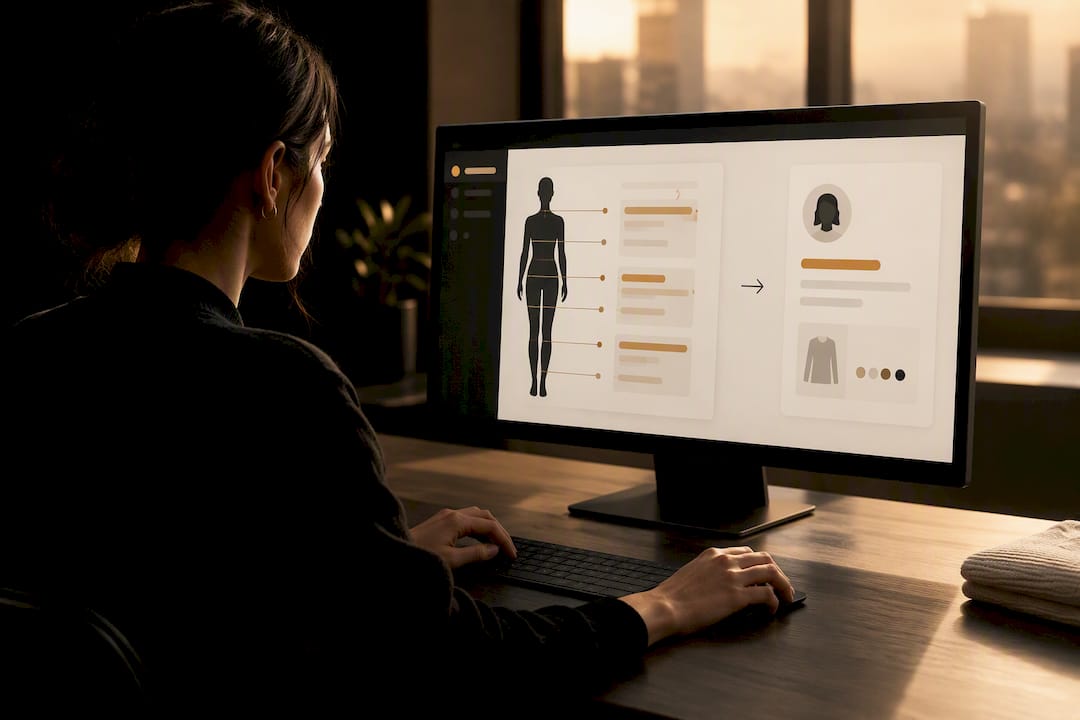
Wire 8 body measurements into Klaviyo for Shopify size personalization
Klaviyo size personalisation means feeding customers’ body measurements and virtual try-on size recommendations into Klaviyo profiles and events, then using flows to send fit-specific messages. The single best first step is confirming where that size data actually lands in Klaviyo, either on the Ordered Product event or as a profile property, before you build anything. Get that right and the downstream payoff is real: retailers report that poor fit drives the large majority of fashion returns , so fit-aware messaging directly cuts returns and lifts conversion.
TL;DR:
- Ensuring size data lands on the Ordered Product event is crucial, as it provides variant-level detail necessary for accurate flow triggers.
- GarmCheck generates both measurements and size recommendations that can be automatically updated in Klaviyo profiles to improve personalization accuracy.
- Post-delivery flows should use a 7 to 14-day lookback window based on actual shipping times to avoid false negatives or customer confusion.
- Standardizing size labels and measurement units before data reaches Klaviyo prevents misclassification and reduces return rates.
- Validating that size data appears correctly in Klaviyo with test orders saves hours of debugging and ensures reliable segmentation.
div style="border-radius:26px;padding:min(14px,3.2vw);background:radial-gradient(circle at 100% 0%,#f5f3ee 0 150px,rgba(255,255,255,0) 151px),radial-gradient(circle at 0% 100%,#f5f3ee 0 130px,rgba(255,255,255,0) 131px),linear-gradient(180deg,#f9f7f4 0%,#fcfbf9 100%);">
div style="background:#ffffff;border-radius:18px;box-shadow:0 12px 34px rgba(0,0,0,0.13);overflow:hidden;">
div style="display:flex;flex-wrap:wrap;align-items:center;gap:16px 22px;padding:20px 24px;">
div style="flex:1 1 260px;min-width:0;">
div style="margin:0 0 8px;"> Garmcheck
Make Fit Personalisation Simpler
GarmCheck helps Shopify fashion brands generate accurate size recommendations from eight body measurements with a user-friendly virtual try-on.
Explore GarmCheck
Table of Contents
- How Klaviyo receives and stores size data
- Integrating a virtual try-on with Klaviyo: recommended architecture
- How to build size-aware Klaviyo flows: three worked patterns
- Segmentation and product feeds for size-aware recommendations
- Measuring whether size personalisation is working
- Why I’d start with try-on to profile wiring first
- Where GarmCheck fits into this playbook
- Sources
- FAQ
How Klaviyo receives and stores size data
Before you build a single flow, work out where size actually lives inside your account. Klaviyo captures purchase data two ways, and the difference matters more than most merchants assume.
Ordered Product is a per-line-item event. It carries variant-level detail, including size, colour, and SKU, which makes it the right trigger when you need to split flows by a specific value like size. Placed Order , by contrast, fires once per order and often flattens multi-item purchases, so a customer who bought a Small and a Large in the same basket becomes hard to isolate. Klaviyo’s own community guidance recommends Ordered Product for size-based triggers for exactly this reason.
Some size data won’t come through orders at all. If a customer tells you their measurements directly, through a quiz or a try-on tool, that belongs in a custom profile property rather than an event, since it’s zero-party data attached to the person, not the purchase.
- Check Metrics > Ordered Product in your Klaviyo activity feed to confirm size actually appears on the payload before building conditional splits around it.
- Standardise size labels across your catalogue (S/M/L versus 8/10/12) so a single split condition works everywhere.
- Normalise measurement units (cm versus inches) and property names before they hit Klaviyo, not after.
Pro Tip: Run one test order per size band and watch it appear in the Ordered Product feed before you build a single flow. Fifteen minutes here saves hours of debugging a conditional split that never fires.
Integrating a virtual try-on with Klaviyo: recommended architecture
A virtual try-on tool like GarmCheck generates two things worth capturing: a set of body measurements and a recommended size. The useful architecture writes both into Klaviyo as soon as the try-on completes, not weeks later during a batch export.
The recommended flow is straightforward. A shopper completes a try-on, GarmCheck calculates eight body measurements and a recommended size, and that output writes to Klaviyo as profile properties, things like recommended_size , bust_cm , or preferred_fit . Many merchants also emit a custom try_on event alongside the property update, which lets you build flows triggered by the try-on itself, not just the eventual purchase.
There are two practical integration paths:
- App-to-API : the Shopify try-on app writes measurement and recommendation data straight into Klaviyo profile properties via its API, updating the moment the customer finishes their try-on.
- Webhook or scheduled sync : catalogue-level attributes, garment-specific fit notes, “runs small in the shoulders”, sync on a schedule rather than in real time, since these change far less often than individual customer data.
One judgement call comes up constantly: measurements belong on the profile because they describe the person and persist across sessions, while a specific try-on result might sit better as an event if you want to track which garment was tried and when.
Consent needs handling properly here. Storing body measurements requires explicit permission at collection, and where you retain try-on renders for reference, anonymising them removes an unnecessary data liability.
Pro Tip: Ask for consent once, at the try-on step, with clear language about what gets stored and why, rather than burying it in a general privacy policy nobody reads.
How to build size-aware Klaviyo flows: three worked patterns
Three flow patterns cover most of what a fashion merchant needs, and each solves a different moment in the customer journey.
- Post-delivery size check. Set the trigger to Delivered Shipment , then add a conditional split that queries Ordered Product for the size ordered, filtered to a recent window. Klaviyo’s community documents this exact pattern: flip to Delivered Shipment as the trigger, then split on Ordered Product size within a 7 to 14 day lookback, so the message only fires once the garment has actually arrived.
- Welcome flow with zero-party size collection. Ask for size or fit preference in the signup form or the second welcome email, then write the answer to a profile property. From there, branch content by category or fit type. Klaviyo’s own guidance on zero-party data collection backs this as more reliable than inferring size from browsing behaviour alone.
- Abandoned cart with size context. Surface the customer’s recommended size directly inside the product block, using feed filters to prioritise SKUs available in that size.
When testing any of these, hold back a small control group and watch your lookback window carefully. Too short a window catches shipping delays as false negatives; too long, and a customer who ordered two sizes to compare muddies your size-specific segment.
Pro Tip: Start your lookback window at 10 days, then adjust based on your actual delivery times, not a default someone else set for a different supply chain.
Segmentation and product feeds for size-aware recommendations
Flows only work if your catalogue backs them up. Sync garment attributes, fit notes, size-chart deviations, model measurements, into Klaviyo alongside your standard product feed, so templates can filter by more than just category and price.
Klaviyo’s product feeds already support filtering by category, inventory, and custom attributes, and personalised recommendation models typically need 2 to 7 days to train before they stabilise. Until then, or when a recipient has no measurement data on file, the feed falls back to a secondary recommender, so build your templates to handle that gracefully.
Practical steps that make this work:
- Create a custom catalogue segment mapping garment attributes to recommended sizes rather than relying on generic category tags.
- Use show/hide logic in templates so a customer’s recommended size, not just their browsing history, decides which SKUs appear.
- For customers with no measurement data, fall back to a size guide link and model measurements rather than showing nothing.
- Keep catalogue attributes populated consistently. A feed with gaps in fit data degrades quietly, and you won’t notice until returns creep up.
Measuring whether size personalisation is working
Three metrics matter more than the rest: fit-related return rate broken down by size cohort, conversion lift on personalised sends versus a control group, and net revenue per send once returns are factored in. Open and click rates still matter, but treat them as secondary. A high open rate on a flow that doesn’t reduce returns hasn’t done its job.
Run experiments with a genuine holdout, not just an A/B split on subject lines, and give them 30 to 90 days to capture the full returns window, since fit issues often surface weeks after delivery.
- Track return rate by size cohort weekly; review the trend monthly.
- Compare conversion and AOV between treatment and control groups, not against last quarter.
- Watch repeat purchase rate. A customer who got the right size once is far more likely to trust your sizing again.
A gap in most merchants’ setup: predictive tools like Segments AI can support this analysis, but they don’t replace explicit measurement data collected directly from a customer or a try-on tool.
Why I’d start with try-on to profile wiring first
The instinct with size personalisation is to jump straight to clever flows. That’s backwards. Fix data quality first, standardise size labels, confirm your Ordered Product payload actually carries size, before touching a single email template. A brilliant conditional split built on inconsistent size labels just produces confident, wrong results.
Once the data’s clean, the quickest wins are a post-delivery size check flow and a welcome flow that collects size preference early. I’d pilot both for 30 days on one product category, then measure the return-rate change before rolling wider.
— Jack
Where GarmCheck fits into this playbook
Virtual try-on tools provide measurement data this whole approach depends on without needing an engineering team to build it. Upload one front-facing photo, and the tool generates a photorealistic try-on image plus a recommended size, drawn from multiple body measurements, quickly, often integrated into e-commerce platforms.
That output is designed to slot directly into the architecture already described: GarmCheck can export measurements and recommended sizes to Klaviyo profile properties, or emit a try_on event you can trigger flows from immediately. One brand, Halftone & Co., cut fit returns by 19% after wiring try-on data into their post-delivery flows this way. If your Shopify-to-Klaviyo pipeline needs a technical health check before you rely on it for size data, a resource like Shopify caching plugin guidance is worth a look to confirm events fire reliably.
GarmCheck’s plans run from a Free tier through Starter at £99 per month, Growth at £399 per month, and Scale at £999 per month, with a size comparison preview available at £0.50 per one-off preview. Start a free trial at Garmcheck and see your first recommended size land in Klaviyo within a day.
Sources
- How to trigger post-purchase emails based on product size | Klaviyo Community
- Ecommerce segmentation framework | Klaviyo
- How product feeds and personalised recommendations work in Klaviyo
FAQ
Does Klaviyo support size-based personalisation natively?
Klaviyo doesn’t have a built-in “size personalisation” feature, but its event and profile-property structure supports it fully. You build it by capturing size on the Ordered Product event or as a custom profile property, then using conditional splits and segments around that data.
Should I trigger on Placed Order or Ordered Product for size?
Use Ordered Product whenever you need variant-level detail like size, since Placed Order can flatten multi-item baskets and obscure which size was actually bought. This distinction matters most for post-delivery flows that check a specific size ordered.
How long should my lookback window be for post-delivery flows?
Most merchants set the conditional split window between 7 and 14 days, balancing shipping time against the risk of catching unrelated later orders. Adjust based on your own average delivery time rather than copying a default.
Can GarmCheck’s measurements feed directly into Klaviyo?
Yes. GarmCheck writes recommended sizes and measurement data to Klaviyo profile properties, or emits a custom try_on event, so flows can react to a try-on the moment it happens rather than waiting for a purchase.
How much does GarmCheck cost to integrate with Klaviyo?
GarmCheck offers a Free plan, plus paid tiers at £99, £399, and £999 per month depending on try-on volume and features, all detailed on Garmcheck. A 14-day free trial lets you test the Klaviyo integration before committing to a plan.
Recommended
- Shopify merchants: reduce fit returns in 30 days with metafields
- AI-driven size chart design for Shopify merchants
- Prove Garment Specific Sizing on Shopify in 4–6 Weeks With 10–20 SKUs
- Plus size try-on for Shopify merchants: a practical guide
Ready to reduce returns?
Start your 14-day free trial
See GarmCheck on your own products. No credit card required.