
17 September 2026 · 5 min read
Prove Garment Specific Sizing on Shopify in 4–6 Weeks With 10–20 SKUs
Lean Shopify pilot proves garment specific sizing on 10–20 SKUs in 4–6 weeks. Includes catalog setup, tracking, privacy, and return metrics.
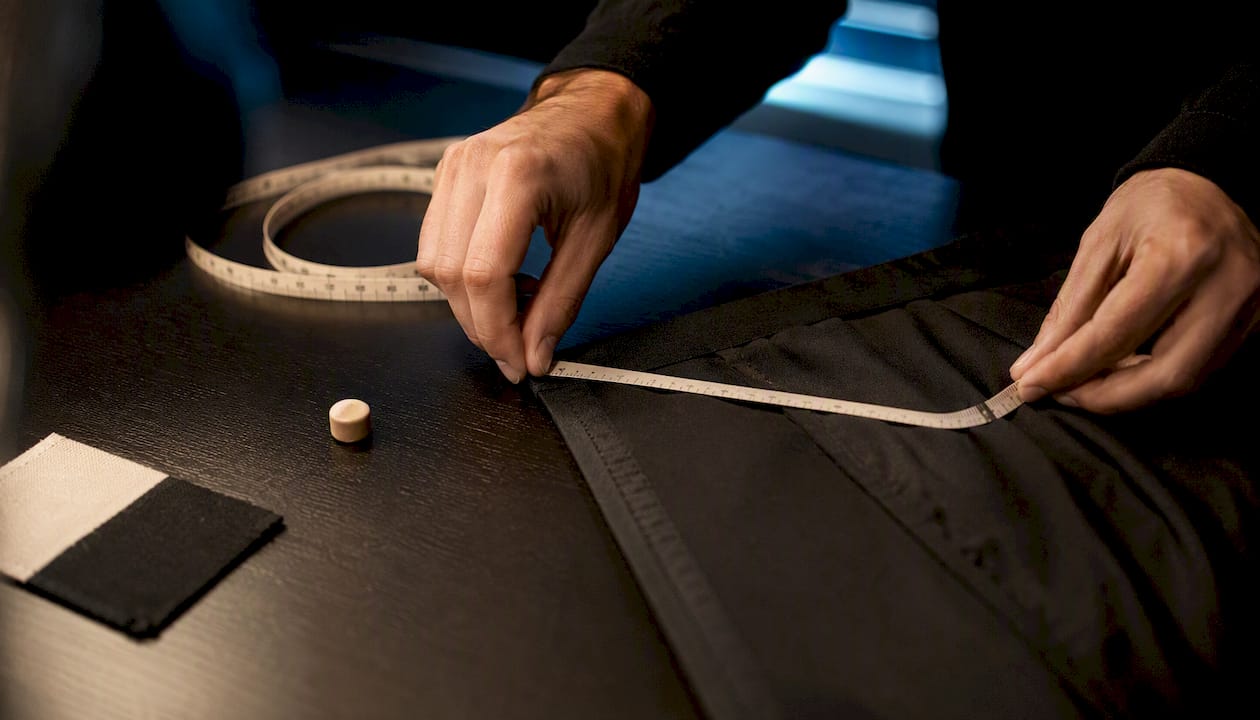
Prove Garment Specific Sizing on Shopify in 4–6 Weeks With 10–20 SKUs
Garment-specific sizing uses a customer’s single front-facing photo to generate eight body measurements and show a photorealistic render of how a specific item will fit them, rather than a generic size chart. For fashion retailers, the recommended first move is not a full rollout. Pilot it on your highest-return categories, measure size-related returns specifically, and expand only where the data justifies it.
TL;DR:
- Garment-specific sizing is most effective in categories with predictable fit issues, such as tops, footwear, and accessories, rather than in low-fit-risk basics.
- Accurate product data, especially measurements and fabric behavior, is essential for reliable fit recommendations, while rendering complex fabrics still presents technical challenges.
- A pilot should focus on 10 to 20 high-risk SKUs over a minimum of four to six weeks, tracking size-related return reasons separately from overall returns for accurate analysis.
- Results tend to show a modest impact on return rates, with a low single-digit percentage reduction, but benefits include fewer support tickets and increased time on product pages.
- Effective implementation requires proper privacy consent, quality images, and integration of try-on data with existing analytics to measure true effectiveness.
div style="border-radius:26px;padding:min(22px,3.2vw);background:radial-gradient(circle at 100% 0%,#f5f3ee 0 150px,rgba(255,255,255,0) 151px),radial-gradient(circle at 0% 100%,#f5f3ee 0 130px,rgba(255,255,255,0) 131px),linear-gradient(180deg,#f9f7f4 0%,#fcfbf9 100%);">
div style="background:#ffffff;border-radius:18px;box-shadow:0 12px 34px rgba(0,0,0,0.13);overflow:hidden;">
div style="padding:34px 30px;text-align:center;">
div style="margin:0 0 18px;"> Garmcheck
Pilot More Confident Fit Decisions
GarmCheck helps Shopify fashion brands show garment fit using eight body measurements and a photorealistic image generated in under ten seconds.
Explore GarmCheck
Table of Contents
- What is garment-specific sizing and how does it work?
- Does garment-specific sizing actually reduce returns?
- How do you run a Shopify pilot for virtual try-on?
- What integration and data does garment-specific sizing need?
- What metrics prove garment-specific sizing is working?
- When should you actually pilot this?
- Ready to pilot garment-specific sizing on Shopify?
- Sources
- FAQ
What is garment-specific sizing and how does it work?
The mechanics start with a photo. A shopper uploads one front-facing image, and the system extracts eight body measurements, typically bust or chest, waist, hips, shoulder width, torso length, inseam, and arm length, to build a body model. That model is then matched against the garment’s own dimensions rather than a generic size chart, which is the part that makes this “garment-specific” rather than just “body-specific”.
The second half of the process depends entirely on product data. Garment metadata, such as flat measurements, intended fit (slim, regular, oversized), and fabric behaviour, maps against the shopper’s body model to produce a fit rule for that exact SKU. A stretch jersey t-shirt and a structured denim jacket in the same labelled size will produce different fit outputs, because the underlying rule accounts for how each fabric moves.
What the shopper actually sees on the product page is deliberately simple: a photorealistic render of the garment on their body shape, a suggested size, and a short fit note (“runs slim through the shoulder” or “true to size in the waist”). Shopify’s own guidance on AR and virtual try-on( https://www.shopify.com/blog/ar-try-on-clothes ) stresses that this needs to work on mobile first, since most fashion browsing happens there, and that category-aware UX matters more than the render quality alone.
The technology still has real limits. Independent reviews of virtual try-on systems note that complex drape, layered outfits, and heavily textured fabrics remain harder to render convincingly than flat-lying knitwear or structured tops, and that technical and privacy challenges persist across the category . Treat those categories as ones to test cautiously, not ones to avoid entirely.
Does garment-specific sizing actually reduce returns?
The honest answer is: it can, but the size of the effect depends heavily on your category mix and your baseline return reasons. Retailers including Levi Strauss, Zara, and Zalando have been investing in virtual try-on specifically to curb fit-related returns and lift conversion, and broader retail adoption has accelerated as generative AI has made the technology cheaper to deploy .
Where the impact is clearest is in categories with well-understood body-to-garment mapping: upper-body garments, footwear, and accessories such as eyewear tend to show the strongest results, according to industry analysis of hybrid try-on systems . Full-body drape items and complex layered outfits are still a developing use case, not a solved one.
Be wary of headline conversion numbers. Some vendor claims of large uplift do not hold up under independent scrutiny once you strip out selection bias, and a realistic blended lift across all apparel traffic is likely to sit in the low single digits rather than double figures, according to one practitioner review of Shopify conversion data . The gains beyond raw conversion are often just as valuable: fewer support tickets asking “will this run small?”, less bracketing (customers ordering two sizes to try at home), and longer time spent on product pages. Test it on your own traffic before you believe anyone’s average.
How do you run a Shopify pilot for virtual try-on?
Treat your first pilot as a controlled experiment, not a store-wide launch. The goal is a clean read on whether garment-specific sizing moves the metrics that matter for your catalogue, without burning weeks on categories where the payoff is uncertain.
- Pick 10 to 20 SKUs from your worst-return categories. Fitted tops, denim, and footwear are usually where size-related returns cluster, so start there rather than with basics that already fit predictably.
- Define success metrics before you launch. Decide now whether you’re chasing conversion rate, return-rate reduction, or both, and set a rough target so you’re not rationalising the result afterwards.
- Prepare product metadata properly. Garment length, shoulder seam width, and fabric stretch all need to be accurate in your product data; missing or guessed figures will produce misleading fit recommendations.
- Install the Shopify app or JS snippet. Most implementations sit on the product page above the fold on mobile, since that’s where the bulk of fashion browsing happens.
- Confirm your privacy and consent flow. Be explicit with shoppers about what happens to their photo, whether it’s discarded after processing or stored, and get clear consent before capture.
- Run an A/B test or holdout group for at least four to six weeks. Shorter windows rarely give you enough purchase volume to separate a real effect from noise, particularly for lower-traffic SKUs.
Pro Tip: Run your pilot alongside your existing size chart and product photography rather than replacing them. Hybrid approaches that pair measurement-driven recommendations with strong PDP imagery consistently outperform virtual try-on used in isolation.
What integration and data does garment-specific sizing need?
The technical lift is smaller than most merchants expect, but the data prep is not optional. Three product inputs matter most: accurate SKU-to-variant mapping, high-quality flat or on-model images for each variant, and honest garment measurements paired with a plain-language fit note. A practical playbook for prioritising which SKUs to prepare first can save you from trying to catalogue your entire range on day one.
On the platform side, installation is typically a Shopify app or a JavaScript snippet inserted at a theme block, with connections into your analytics stack and, where relevant, Klaviyo for post-purchase or abandoned-fit flows. None of this requires custom engineering work if the vendor’s app is genuinely Shopify-native.
Data handling deserves a clear, written policy. Tell customers whether their photo is processed and discarded or retained, and state the expected accuracy of the recommendation rather than implying certainty; adoption research shows that perceived privacy risk and communicated accuracy both shape whether shoppers are willing to use the feature at all.
The costs that catch merchants out are rarely the subscription fee; automating catalog content and scaling product metadata with AI for e-commerce can help reduce manual effort. Getting genuinely high-fidelity results often means manual catalogue clean-up and, in some cases, 3D asset generation for complex garments, which UK retailers experimenting with the technology have found adds real effort if the vendor doesn’t automate it .
What metrics prove garment-specific sizing is working?
Four numbers matter more than the rest: try-on usage rate (what percentage of PDP visitors engage with it), conversion rate for users versus non-users, the size-related return-rate delta specifically, and any shift in average order value or repeat purchase rate.
That second metric, size-related returns, is the one merchants most often measure wrong. Track overall return rate and you’ll drown the signal in returns caused by damage, changed minds, or late delivery. Capture return reason codes and isolate the ones tagged to size or fit, so the experiment measures what garment-specific sizing actually influences rather than everything happening in your reverse logistics pipeline.
Instrument these events from day one:
- Try-on started (photo uploaded)
- Try-on completed (render and recommendation shown)
- Recommended size accepted or overridden by the shopper
- Purchase completed, tagged with whether try-on was used
- Return filed, with reason code mapped to size or fit
Run your comparison as a proper holdout or A/B split rather than a before/after comparison, since seasonal demand shifts alone can produce a false positive. Give it a full four to six week window minimum before drawing conclusions, and expect the early signal to be noisy on lower-traffic SKUs. A reduce-returns resource on measuring size-driven return impact walks through the reporting side in more detail once your events are firing correctly.
When should you actually pilot this?
Pilot it when you have genuine fit risk: fitted tops, denim, or footwear with a track record of size complaints, decent mobile traffic, and enough monthly orders in those SKUs to reach statistical confidence within a few weeks.
Hold off if your catalogue is dominated by loose, low-fit-risk basics, or if your order volume is too small to generate a readable signal. The overhead of a pilot only pays off where there’s real fit ambiguity to resolve, and no rendering technology fixes a product page that’s missing accurate measurements and honest fit notes in the first place.
— Jack
Ready to pilot garment-specific sizing on Shopify?
There are services built specifically for merchants who want to test this without an engineering project. These solutions turn a single front-facing photo into a photorealistic render and a size recommendation drawn from multiple body measurements, often delivered quickly and installed as a Shopify app rather than a custom integration.
A sensible pilot scope looks like the one outlined above: 10 to 20 high-fit-risk SKUs, four to six weeks, with return-reason tracking switched on from day one. Garmcheck’s Free plan costs nothing to start, with paid tiers, Starter at £99 per month, Growth at £399 per month, and Scale at £999 per month, scaling with try-on volume as your pilot proves out. If you want to see the render quality on your own products before committing catalogue time, the virtual try-on product page is the place to start, and it takes far less setup than most merchants expect.
Sources
- Retailers rely on virtual try-on to curb returns, boost conversions
- Applied sciences review of virtual try-on systems
- Digital fashion: virtual-try-ons — how UK retailers are experimenting
FAQ
What counts as garment-specific sizing versus a standard size chart?
Garment-specific sizing generates a per-item fit recommendation and visual render from a shopper’s own photo and body measurements, matched against that specific garment’s dimensions, rather than pointing shoppers to a generic size chart.
How accurate are the body measurements from a single photo?
Systems typically extract around eight measurements (bust, waist, hips, shoulders, and similar) from one front-facing image, and accuracy depends on photo quality and lighting; communicating expected accuracy to shoppers improves trust and uptake.
Which garment categories benefit most from virtual try-on?
Upper-body garments, footwear, and accessories such as eyewear currently show the strongest fit accuracy, while full-body drape and heavily layered outfits remain a developing use case.
How much does GarmCheck cost for a small Shopify store?
GarmCheck offers a Free plan, then paid tiers starting at £99 per month for Starter, rising to £399 for Growth and £999 for Scale, based on try-on volume and feature needs.
How long should a virtual try-on A/B test run?
Run the test for at least four to six weeks to account for normal demand variation, and track size-related return reason codes separately from overall returns to isolate the real effect.
Recommended
- Size curve optimization: the Shopify fit playbook
- Plus size try-on for Shopify merchants: a practical guide
- Fabric stretch guide for Shopify size recommendations
- Shopify merchants: reduce fit returns in 30 days with metafields
Ready to reduce returns?
Start your 14-day free trial
See GarmCheck on your own products. No credit card required.